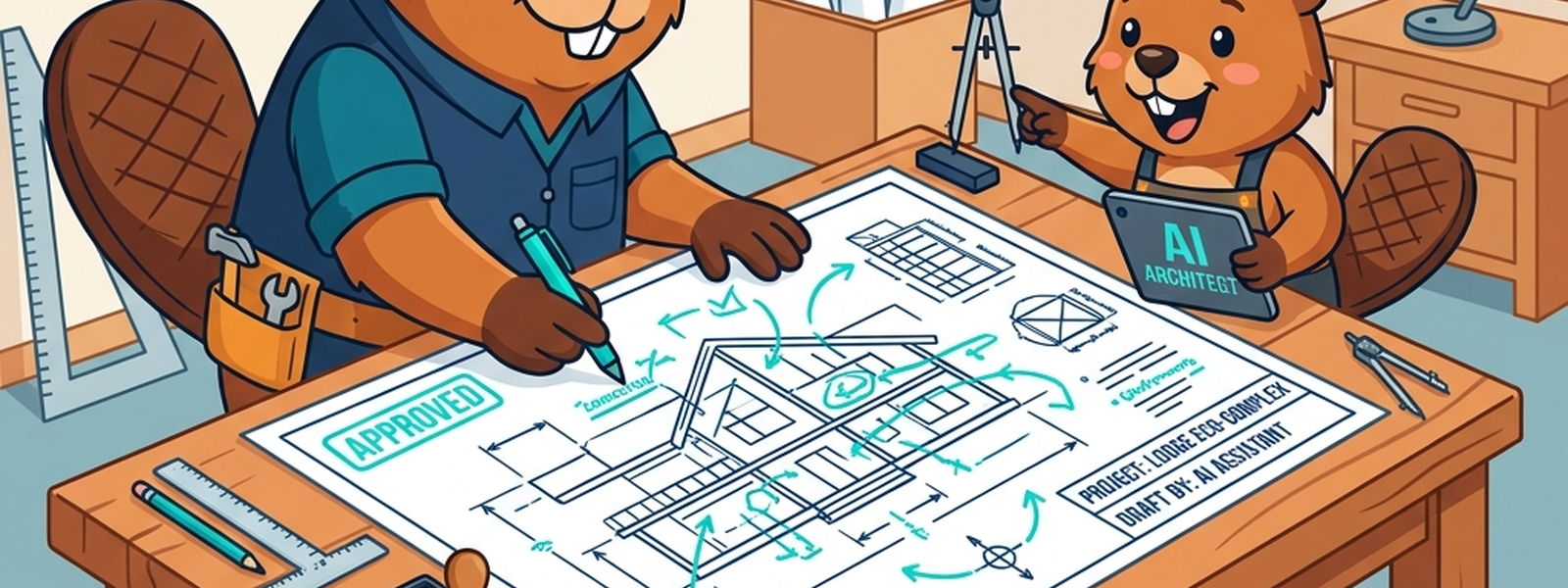
Opening Scene
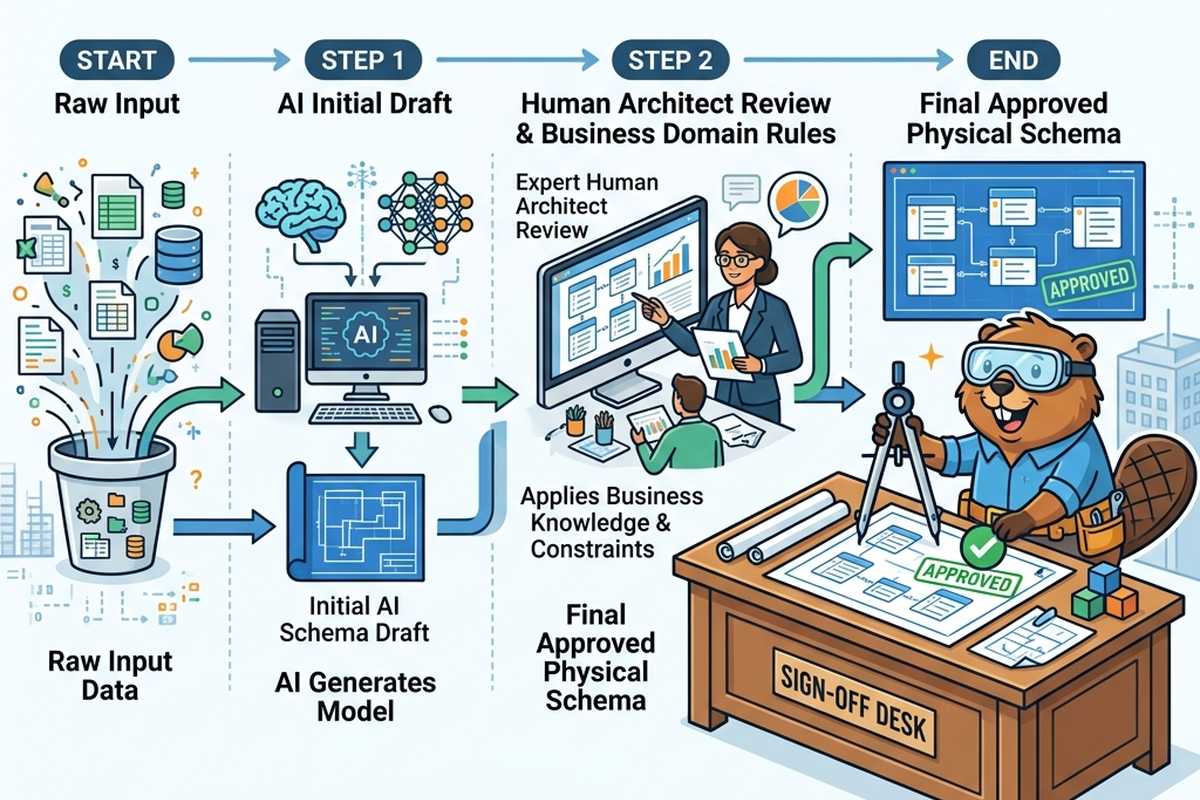
A senior architect’s apprentice can be genuinely useful: hand them a rough idea, and they’ll come back with a reasonable first draft — walls roughly where they should be, rooms sensibly sized. But the apprentice doesn’t know that the client’s elderly mother needs a ground-floor bedroom, or that local zoning quietly forbids a second story. The senior architect reviews the draft, catches what the apprentice couldn’t have known, and signs off — or sends it back with notes.
That’s a fair description of where AI-assisted data modelling tools sit today: a capable apprentice, not a replacement for the architect.
In Plain English
AI-assisted data modelling refers to tools that can look at sample data, plain-language descriptions, or existing systems and propose a data model — entities, relationships, naming, even physical structures — automatically. The output is a draft: usually a reasonable starting point, sometimes very good, but not something to implement without review, because the tool doesn’t know your business the way the people who built it do.
The Old Way
Traditionally, every part of a data model — every entity, every relationship, every naming convention — was drafted entirely by hand. A data architect would work through requirements, interview stakeholders, sketch conceptual models, refine them into logical and physical designs, and document the result, often over days or weeks for anything non-trivial. This was slow, but it had one underrated advantage: every decision passed through a human who had absorbed the business context along the way, even if imperfectly.
The cost of this approach was mostly time and consistency. Two different architects might model the same business concept differently, and a junior architect without deep business exposure could miss a nuance entirely. There was no “rough draft” step that sped up the early, most time-consuming part of the process — every model started from a blank page.
What’s Changing (and Why AI Is the Reason)
- The blank page is mostly gone. Given sample data or a plain-language description of a business domain, AI tools can now generate a reasonable first-draft model — entities, attributes, relationships, even suggested naming conventions — turning the slowest part of the old process into a fast starting point for review.
- Naming and standardization are getting genuinely useful AI support. Tools can suggest consistent naming conventions across a large existing system, flag inconsistencies (the same concept named three different ways across different tables), and propose a standardized approach — tedious, detail-heavy work that used to consume disproportionate architect time.
- The review step is becoming the actual skill. As drafting speeds up, the differentiating skill for a data architect is shifting from “can you produce a model from scratch” toward “can you correctly judge whether a proposed model reflects the business,” catch the apprentice’s blind spots, and push back where needed.
The Metaphor, Fully Extended
| Architect’s Apprentice Element | AI-Assisted Modelling Concept |
|---|---|
| The senior architect | The human data architect / modeller |
| The apprentice | The AI modelling tool |
| A rough first draft from the apprentice | An AI-generated first-draft model |
| The senior architect’s red-pen review | Human review and correction of an AI-generated model |
| The client’s unstated needs (e.g., a ground-floor bedroom) | Business context and tribal knowledge not visible in the data itself |
| Local zoning rules the apprentice doesn’t know | Regulatory, compliance, or organizational constraints |
| The apprentice drafting many similar floor plans quickly | AI tools standardizing naming conventions across many tables |
| The senior architect signing off on the final plan | Final human approval before a model is implemented |
| An apprentice who’s improved with experience but still needs oversight | AI modelling tools that are genuinely useful but not fully autonomous |
| A junior architect learning the trade by reviewing the apprentice’s drafts | A junior data professional building judgment by reviewing AI-generated models |
For Beginners: What to Actually Do
- Use AI-generated model drafts as a learning tool, not just a shortcut — compare what the AI proposed to what you would have proposed, and notice where they differ.
- Build the habit of asking “what would the AI not know about this business?” every time you review a draft — that question is most of what separates a junior reviewer from a careless one.
- Don’t skip learning the fundamentals (entities, relationships, normalization, the things covered in earlier articles in this series) just because AI tools can draft a model — you can’t meaningfully review what you don’t understand.
- Treat naming-convention suggestions from AI tools as a good prompt for a team conversation, not an automatic decision — naming often carries more organizational meaning than it first appears to.
For Practitioners and Leaders: The Deeper Layer
- The shift described in this article changes hiring and skill development priorities: junior data architects increasingly need strong review and judgment skills earlier in their careers, since the slow, repetitive drafting work that used to build intuition is partly automated now — consider how your team builds that judgment deliberately rather than assuming it.
- AI-generated models tend to be weakest on context that lives outside the data itself: regulatory nuance, historical business decisions encoded in seemingly odd structures, and political or organizational sensitivities around naming and ownership — build review checklists that explicitly probe these blind spots.
- Standardization tooling is genuinely valuable at scale, but rolling out AI-suggested naming changes across a large, actively used system carries the same risks discussed in Article 7 (schema evolution) — pair naming standardization efforts with proper impact analysis, not just enthusiasm for cleaner names.
- As your organization adopts AI-assisted modelling tools, define clearly where the line sits between “AI can implement this directly” and “this requires human sign-off” — the apprentice metaphor breaks down if no one is actually playing the senior architect’s role.
Quick Recap
- AI-assisted data modelling tools can now generate first-draft models from sample data or plain-language descriptions, speeding up what used to be the slowest part of the process.
- These tools are also genuinely useful for flagging naming inconsistencies and suggesting standardization across large systems.
- AI-generated drafts tend to miss business context, regulatory nuance, and organizational history that isn’t visible in the data itself.
- The architect’s role is shifting from pure drafting toward judgment and review — catching what the “apprentice” couldn’t have known.
- Clear human sign-off remains essential, especially for naming changes, regulatory contexts, and anything touching systems other teams depend on.
Where This Fits in the Series
Article 7 covered how to change a model safely once it exists; this article looked directly at how AI is changing the modelling process itself, from first draft to final review. Article 9, “A Tour Guide for the City’s Data,” moves into semantic layers and knowledge graphs — giving a model shared meaning so both humans and AI tools interpret it the same way.
Subscribe to the Newsletter
Get the latest DataParables articles delivered straight to your inbox.